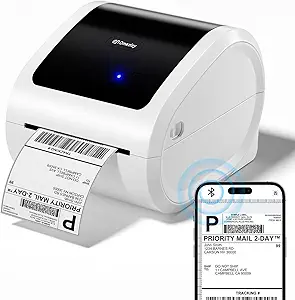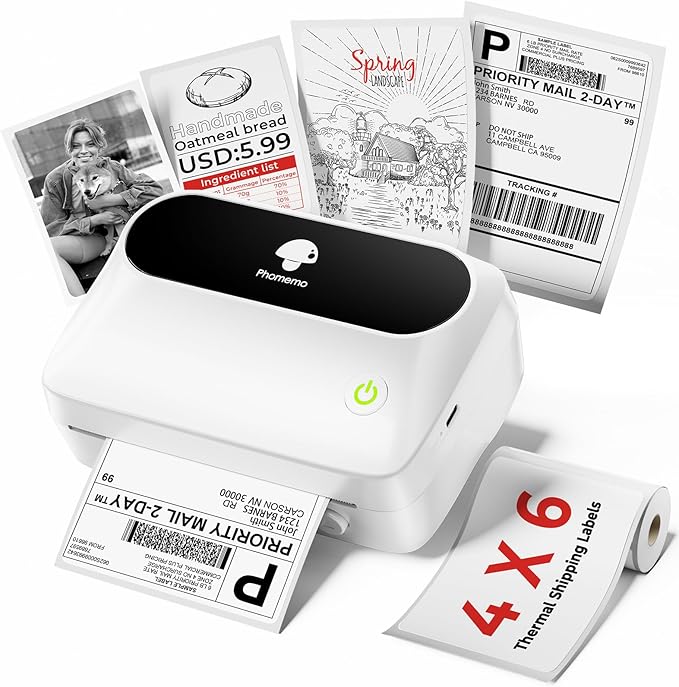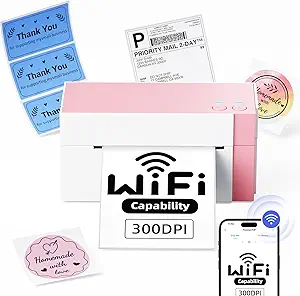


WiFi Thermal Label Printer 4x6 Wireless Shipping Label Printer for Small Business,300DPI Label Printer Machine,Compatible with PC&iPhone,Tiktok,USPS,Shopify
Buyers photos 0
Dynamics of prices

Want to know when the price of this product will come down? Click "Follow the price" and we'll let you know!
Characteristics
Description
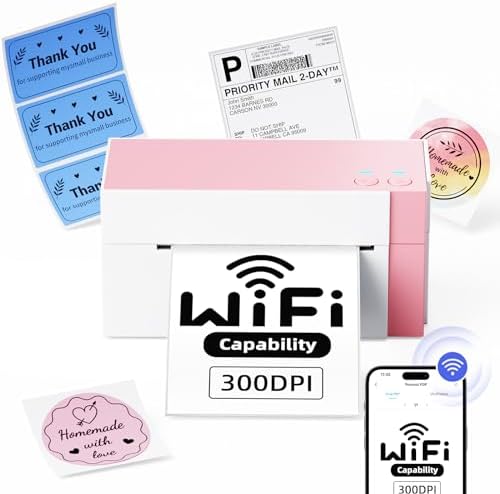
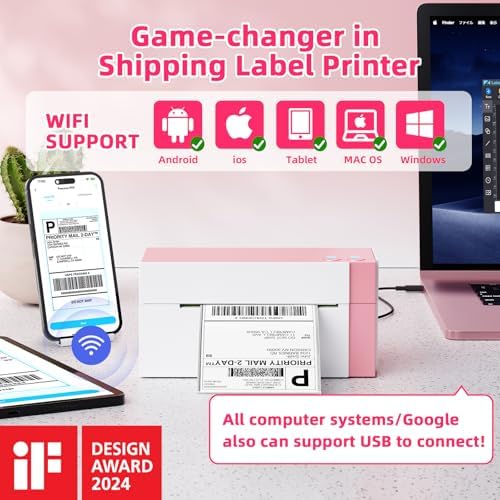
[2025 Upgraded Label Printer] This thermal label printer is equipped with a Japanese high-tech thermal print head, delivering 300 DPI high-quality printing.No ink, No toner, Clean with no mess, economical. Works with both fanfold labels and roll labels. it’s ideal for small businesses and personal use. [5GHz Wi-Fi&10 Device Use]Our label printer adopts advanced 5GHz Wi-Fi, faster and more stable than 2.4GHz or Bluetooth. It supports printing anywhere in Wi-Fi range and up to 10 simultaneous device connections. Even with multiple devices linked, this thermal label printer maintains rapid, steady performance for perfect labels. [300 DPI&High-Speed Printing]Equipped with a 300 DPI high-resolution printhead, this shipping label printer produces clear, scannable labels. Upgraded technology enables 100mm/s printing speed, up to 72 sheets of 4"x6" labels per minute. It’s an efficient label printer for small businesses to save time. [Compact Size&Label Compatibility] Length: 7.18'‘; Width: 3.48’'; Height: 3.52'';Space-saving.The shipping label printer works with both fanfold labels and roll labels. It supports label widths from 1" to 4.6", meeting various labeling needs for shipping and daily use,you can print shipping labels,thank you logo/DIY logo/QR code/address labels, and more! [Easy Setup & Professional Support]This shipping label printer comes with detailed videos and manuals, allowing setup in less than 1 minute. It offers 24-month free replacement and lifetime support (phone: 9:00-17:00 Mon-Fri EST; email/live chat: 19:30-4:30 Mon-Fri EST) for worry-free use.
Product reviews 5
Buyers photos 0

Me. Hals
It's a little complicated to get it all set up but im not very tech savvy - so I imagine most people wont have an issue getting it up n running. It's a perfectly convenient size! My college student daughter is using it for her notes - she takes all her notes in her phone and then prints them on labels and sticks them into her notebook! works great for all the little diagrams and pictures of cells and such, that she really isnt confident enough to draw! When printing pictures it is inconsistent with quality... I printed the same picture 3 times - the first one had lots of little white spots in it - the second one looked perfect and the third one had a few little white spots. BUT it is a thermal printer - not a photo printer -so I didnt expect photo quality prints ;) It is fast and easy to use though I wish I could use it without the app - the app is honestly the hardest part to figure out... I'd like to be able to print to it as a "printer" but that doesnt seem to be possible. you have to import all files, pdf, pics etc into the app to print - you cant just print from wherever you are.
Misty Anthony
Does not work well. Waisting a lot of paper. I will be returning.
Jessica Moore
The printer itself is good quality but it is app dependent and bluetooth is required as well which is not what is advertised. This is what the process looks like to print: purchase label from your shipping partner, download the label to device, import label to app, then print the label IF the printer can be found by the app. The printer is NOT DISCOVERABLE by wifi network. I purchased this & paid a little extra for it so I could print from anywhere in my home just like any other wifi enabled printer I've ever had & this item is not that. I returned it for these reasons. Too many steps for each use.
Mictom
Pros:Blazing-fast printing: This printer boasts a 150mm/s print speed, churning out up to 72 labels per minute. Say goodbye to printing bottlenecks!Wi-Fi freedom: Ditch the cables and enjoy seamless wireless printing from your computer or mobile device. The 5GHz Wi-Fi ensures a robust and reliable connection.Versatility redefined: Print a wide range of labels, from 4x6 shipping labels to smaller barcode stickers, with widths ranging from 1 to 4.6 inches.Cost-saving convenience: Thermal printing eliminates the need for pricey ink cartridges, saving you money in the long run.Platform compatibility: Works seamlessly with major shipping platforms like USPS, UPS, Shopify, and Amazon, making it ideal for busy online businesses.Compact and portable: This lightweight printer easily fits on your desk and can be moved around as needed.Cons:Initial setup can be slightly tricky for non-tech-savvy users.The included label software could be more user-friendly.Overall:The Omezizy WiFi Thermal Label Printer is a game-changer for small businesses and anyone who needs to print labels regularly. Its lightning-fast speed, wireless convenience, and wide compatibility make it a winner. While the initial setup might require some patience, the time saved in the long run makes it a worthwhile investment.Verdict: 5 out of 5 stars
Amber
300dpiWireless (wi-fi) also works with smartphone/tabletUSB option cord included (Comes with additional adapter for mac)Feed through for labels (no cartridges or proprietary supplies needed, works with rolls or folded labels)Labelife app is easy to usePerfect for 4x6 shipping labelsContact/app info is on a sticker on the printerSuggestions:1. Read the safety pamphlet as well as the directions. There is important information about button functions which help with understanding calibrating correctly.2. Turn off Bluetooth after set up. I couldn't figure out why it was stuck in "printing" mode, this was why. I thought maybe it just took forever, it does not. It is INSTANTANEOUS.3. For ebay: Use desktop to create a shipping label and in this mode you can change the page size to 4x6. This will set future sized prints to 4x6 even while using the app version. This pertains to single label creation and settings may change if switching to bulk. Then hit print and opt to save as PDF. From the labeling app you import the pdf(s) and can print all.4. Labels face up. Make sure up is actually up. It doesn't work if they are upside down.I spent many hours searching for a thermal label printer that would have the features I wanted for primary use from a smartphone for ebay shipping labels. I chose this one based upon reviews, features, and price. This was so much easier to use (and set up) than I had imagined, I am extremely happy with this product. It also arrived well packed and quickly. I am a barely scan directions kind of person so I had a stumble or two, but usually I am beyond frustrated at my lack of ability to navigate the printer garble troubleshoot/set-up world. This basically did the work for me. I wasted a dozen or so labels as I was just pushing buttons with no understanding (again, read safety pamphlet), but at the price I found the generic labels, it didn't even matter. I am so excited to ditch the laser printer fiasco every time I need a label made. As to the pink color which wasn't really my first choice of color, it isn't even obnoxious and presents as mostly white anyhow. Highly recommend.
Similar products